
Your therapy website probably looked great when it launched. Someone built it, you approved the design, maybe tweaked the homepage copy, and then it went live. That was 18 months ago. Since then? It’s just been sitting there, doing its thing. Or so you assume.
Here’s the part most therapists don’t realize until something breaks: WordPress doesn’t maintain itself. Updates pile up, plugins fall out of sync, forms stop working quietly in the background, and nobody gets an alert.
You’re running a practice, not a tech department, and that’s completely reasonable. But it does mean your website is probably more neglected than you’d like to admit.
This post covers what WordPress maintenance actually involves, why therapy websites have specific vulnerabilities that other sites don’t, and what to look for if you want someone else to handle it.
What Does WordPress Maintenance Actually Include?
Maintenance gets thrown around as a vague term, so it’s worth being specific about what it actually means in practice.
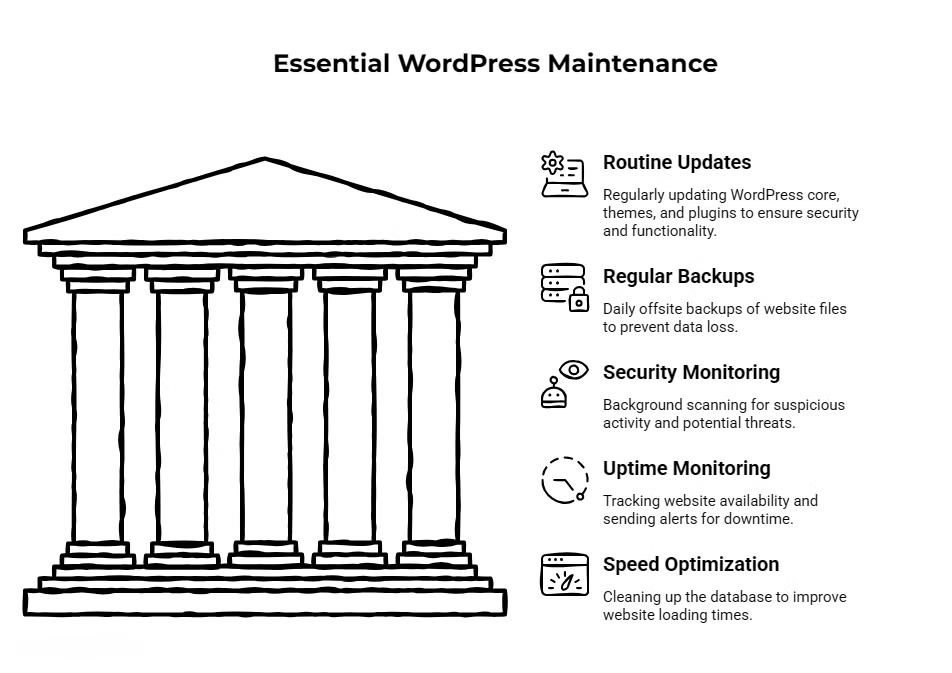
The most routine pieces are updates: WordPress core, your theme, and every active plugin on the site. Most WordPress sites run between 15 and 25 active plugins. Each one is a potential entry point for a security vulnerability if it’s been sitting outdated for weeks or months.
The tricky part is that updates aren’t always safe to run blindly. A plugin update can conflict with your theme or break a specific feature, which is why updates should be tested before they go live on the real site.
Backups are another piece that most people assume is handled until they need them and discover they’re not. A proper backup runs daily for active sites, stores files offsite (meaning somewhere other than your own hosting server, which could go down), and is actually restorable. That last part matters more than people think.
Security monitoring and malware scanning run in the background to catch anything suspicious before it becomes a real problem. Uptime monitoring tracks whether your site is online and sends an alert if it goes down.
If your site is offline at 10pm on a Tuesday when someone is searching for a therapist to call in the morning, you’ve already lost that potential client without knowing it.
Speed optimization and database cleanup round out the basics. WordPress databases accumulate junk over time: old revisions, expired transients, and draft content. Cleaning that up regularly keeps load times reasonable, which matters more than most people realize.
Therapy Websites Have Different Stakes
A slow or broken website sends a signal before a visitor reads a single word. For most businesses, that’s a problem. For therapists, it’s a particular problem, because trust is essentially the product being offered. Someone visiting your site is often in a vulnerable moment, deciding whether to reach out.
A site that loads in six seconds, has a broken contact form, or shows a security warning in the browser is working against you before the relationship even starts.
There’s also the HIPAA-adjacent issue. Your therapy website probably doesn’t store protected health information directly, but the contact forms, scheduling plugins, and third-party integrations that live on the site can create soft vulnerabilities if left unmanaged.
A neglected plugin with a known security flaw isn’t a direct HIPAA violation in isolation, but it’s the kind of thing that creates exposure you don’t want anywhere near a healthcare-adjacent practice.
The practical impact on new patient flow is more direct. Most people research a therapist before they ever call. They’re reading your about page, checking your specialties, and deciding if they want to reach out.
If your site is down, your booking form is broken, or the page takes forever to load, that person clicks back and moves to the next option. They don’t email you to let you know something was broken. They just leave.
From a search visibility standpoint, Google uses site speed, security (SSL certificates, specifically), and overall technical health as ranking signals.
A site that loads slowly or has a lapsed SSL certificate will quietly lose ground in search results over time, without any obvious indication that it’s happening.
This is why more therapists are choosing to hand off WordPress maintenance rather than treating it as something to get to on a slow weekend.
What to Look for When Hiring Someone for WordPress Maintenance
The difference between a good maintenance provider and a mediocre one usually shows up in the details, not the sales page.
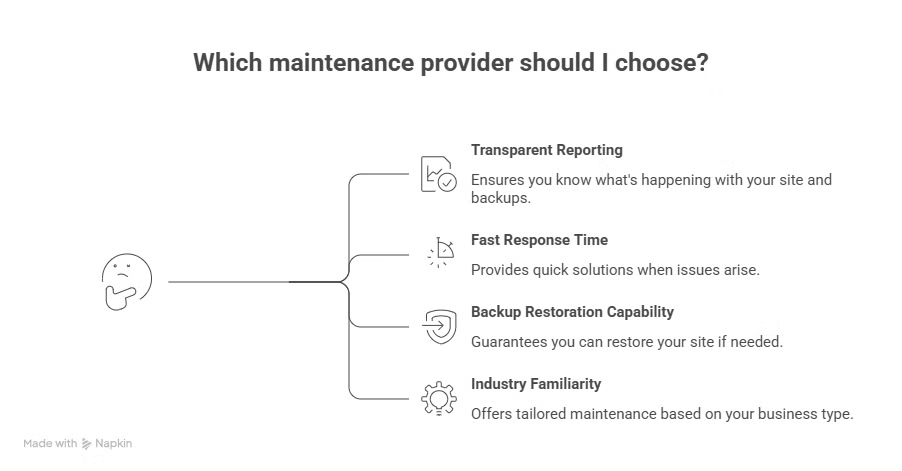
Transparent reporting matters. You should receive a monthly summary that tells you what was updated, whether backups ran successfully, and if anything flagged. If you’re paying for maintenance and the only evidence of it is a charge on your card, that’s not good enough.
Response time is worth asking about directly. What happens when something breaks? Is there an actual person available to look at it, and how quickly?
Some providers have a ticketing system with multi-day turnaround. Others are more hands-on. Know which one you’re getting before you commit.
Backup restoration sounds basic, but it’s worth asking specifically. Can they actually restore a broken site from a backup, or do they just create the backups and hope?
Those are different capabilities. A backup that can’t be restored isn’t much of a safety net.
Industry familiarity is underrated. Someone who maintains mostly e-commerce stores thinks about a website differently than someone who works with service-based businesses or healthcare-adjacent practices.
The questions they ask, the plugins they flag, and the things they notice will differ. It’s not a dealbreaker, but it’s worth factoring in.
WordPress Maintenance for Therapists, Starting at $35/Month
If you’re looking for someone to handle this without signing a long-term contract or going through an agency with a ticket queue, I offer two straightforward WordPress maintenance care plans.
The Basic Care Plan at $35/month covers the fundamentals: core, theme, and plugin updates, weekly backups, uptime monitoring, and a monthly report. It’s built for smaller therapy practices with a brochure-style site that doesn’t change often but still needs someone keeping an eye on it.
The Complete Care Plan at $70/month adds daily backups, malware removal, security hardening, and priority support. It’s a better fit for practices with an active blog, a scheduling integration, or consistent traffic where downtime has a more direct impact on bookings.
Both plans include a $25/hour rate for any additional work outside the scope of maintenance, so if you ever need a page updated, a new section added, or something redesigned, that rate applies without having to renegotiate anything.
There are no long-term contracts. Both plans are month-to-month, which makes them easy to start and easy to stop if your situation changes.
If your practice runs on WordPress and maintenance has been an afterthought for a while, it’s worth a conversation. You can find the full details or get in touch.
A Site That Runs Quietly Is Doing Its Job
Your clients are your focus. Your website’s job is to support that, not demand your attention. A well-maintained WordPress site just works. Forms go through, pages load, the site stays online, and you don’t have to think about it. That’s the whole point of having someone handle it.
How often should a therapy practice update its WordPress site?
WordPress core, plugins, and themes should be reviewed and updated at least once a month. High-priority security updates should be applied as soon as they’re released and tested. Letting updates sit for months is one of the most common ways therapy websites become vulnerable to malware or functionality issues.
Is WordPress secure enough for a therapy practice website?
Yes, when it’s properly maintained. WordPress itself is regularly patched. The risk comes from outdated plugins, weak passwords, and sites that go months without attention. A practice using WordPress with regular updates, security monitoring, and strong access controls has a reasonably secure setup for a public-facing website.
What happens if a therapy website goes down?
Most visitors won’t wait and won’t reach out to let you know. They’ll move on to the next result. Downtime also affects search rankings if it’s prolonged. Uptime monitoring, which alerts you or your maintenance provider the moment a site goes offline, is what makes it possible to respond quickly instead of finding out days later.





