
Finding the best website builder for therapists isn’t just about choosing a pretty template. Your website is often the first impression potential clients have of your practice, and in today’s digital world, it can make or break their decision to reach out.
As a therapist, you already juggle client sessions, documentation, continuing education, and administrative tasks. The last thing you need is to spend weeks wrestling with complicated website technology. Yet your online presence matters tremendously. Research shows that 77% of patients use search engines before booking a healthcare appointment, and your website serves as your digital front door.
But here’s the challenge: you need a site that’s professional, secure, easy to update, and compliant with privacy regulations. You also want appointment booking, clear service descriptions, and a design that feels warm and trustworthy, not sterile or corporate.
In this comprehensive guide, I’ll walk you through the best website builder options for therapists in 2026. Whether you’re starting a new practice or updating an existing site, you’ll discover which platform fits your needs, budget, and technical comfort level.
Why Therapists Need More Than a Basic Website
Your therapy website isn’t just an online business card. It’s a crucial tool that works 24/7 to:
Build trust before the first session. Potential clients are often anxious about reaching out. A professional, empathetic website helps them feel comfortable taking that first step.
Communicate your approach clearly. Your site should convey your therapeutic style, specializations, and what makes your practice unique.
Streamline your intake process. With the right tools, clients can book appointments, complete forms, and get questions answered without phone tag.
Establish credibility. Professional credentials, client testimonials (with permission), and well-written content demonstrate your expertise.
Protect client privacy. Mental health information is sensitive. Your website needs proper security measures and should avoid collecting unnecessary data.
Now let’s dive into the platforms that can help you achieve these goals.
Detailed Platform Comparison
Wix: The Beginner-Friendly Option
Ease of Use: ⭐⭐⭐⭐⭐
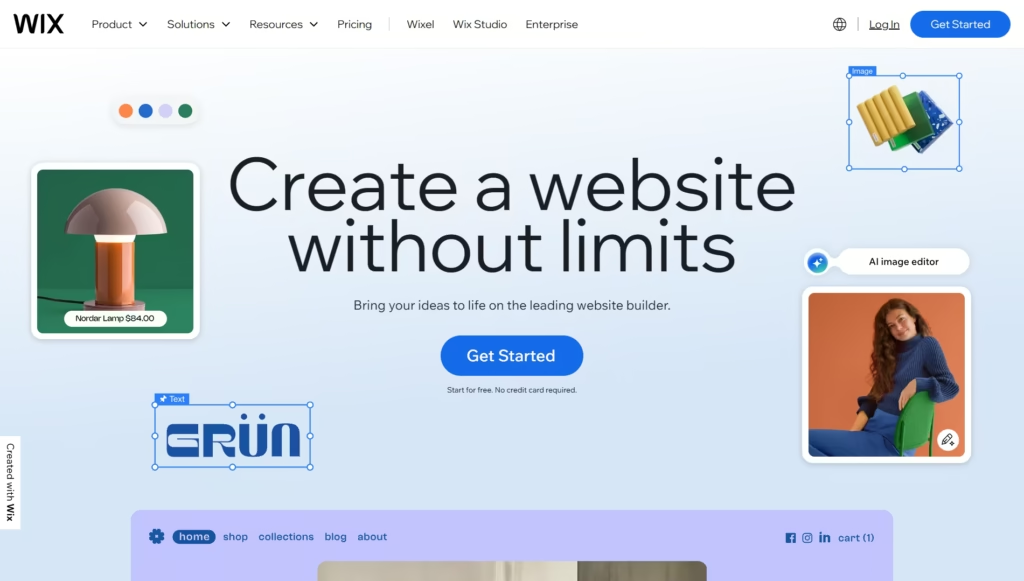
Wix is known for its intuitive drag-and-drop interface. If you can move items around in a Word document, you can build a Wix site. The platform offers therapy-specific templates that include sections for services, about pages, and contact forms right out of the box.
The editor is visual, meaning what you see while building is what your visitors will see. There’s no need to understand code, and the mobile version is automatically created as you build.
HIPAA Compliance Considerations:
Here’s where things get tricky. Wix itself is not HIPAA compliant and doesn’t offer Business Associate Agreements (BAAs). This means you should never collect protected health information (PHI) through Wix forms or store it on your Wix site.
However, you can use Wix safely for general practice information, blog content, and basic contact forms that don’t ask for health information. For appointment booking and intake forms, you’ll need to integrate HIPAA-compliant third-party tools.
Appointment Booking Integration:
Wix offers its own booking system, but remember it’s not HIPAA compliant for storing health information. Many therapists use Wix for their main site and link to external HIPAA-compliant scheduling tools like SimplePractice, TherapyNotes, or Google Calendar (with a BAA).
The integration process is straightforward. You can embed booking buttons or calendar widgets that redirect clients to your secure scheduling platform.
Pricing:
- Basic Website: $17/month
- Business Basic: $25/month (includes custom domain and removes Wix ads)
- Business Unlimited: $32/month (better for higher traffic)
All plans require annual payment for the advertised price. Month-to-month options cost more.
Therapy-Specific Features:
Wix doesn’t offer specialized mental health features, but its flexibility allows you to create:
- Service pages for different therapy types
- Blog sections for sharing mental health resources
- Password-protected pages for client resources
- Gallery sections for office photos
Mobile Responsiveness:
Wix automatically creates a mobile version of your site, though you can customize it separately. About 60% of therapy website visitors browse on mobile devices, so this automatic optimization is valuable.
Best For: New therapists with limited budgets who want a simple online presence and don’t need built-in HIPAA-compliant features.
Squarespace: The Design-Forward Choice
Ease of Use: ⭐⭐⭐⭐

Squarespace sits in the sweet spot between beautiful design and usability. The templates are notably more sophisticated than many competitors, giving your practice an upscale, professional appearance.
The learning curve is slightly steeper than Wix, but most therapists get comfortable within a few hours. The interface uses a block-based system where you add and arrange content sections.
HIPAA Compliance Considerations:
Like Wix, Squarespace does not provide HIPAA compliance or BAAs. You’ll need to avoid collecting PHI through Squarespace forms. Use it for marketing your practice, not for secure client communications.
Many therapists love Squarespace for its aesthetic appeal while using separate, compliant tools for client management.
Appointment Booking Integration:
Squarespace offers Acuity Scheduling (which it owns) as an integrated booking system. While Acuity can be HIPAA compliant with the right plan and BAA, the integration within Squarespace requires careful setup.
Most therapists find it easier to use Squarespace for their website and link to an external, clearly HIPAA-compliant scheduling solution to avoid any gray areas.
Pricing:
- Personal: $16/month
- Business: $23/month (best for most therapists)
- Commerce: $27/month (unnecessary unless selling products)
Annual payment required for these rates.
Therapy-Specific Features:
Squarespace excels at creating a calming, professional atmosphere through design. Features include:
- Beautiful, therapy-appropriate templates (look for minimalist, warm designs)
- Blogging platform for sharing mental health insights
- Newsletter integration for client communication
- Image galleries to showcase your office space
Mobile Responsiveness:
All Squarespace templates are mobile-responsive by default, and the mobile experience is generally excellent. The platform optimizes images automatically, which helps with loading speeds.
Best For: Therapists who want a visually stunning website and are willing to invest time in creating polished content. Ideal if your practice focuses on a specific niche where aesthetics matter (art therapy, wellness-focused counseling, etc.).
WordPress: The Powerful (But Complex) Platform
Ease of Use: ⭐⭐⭐
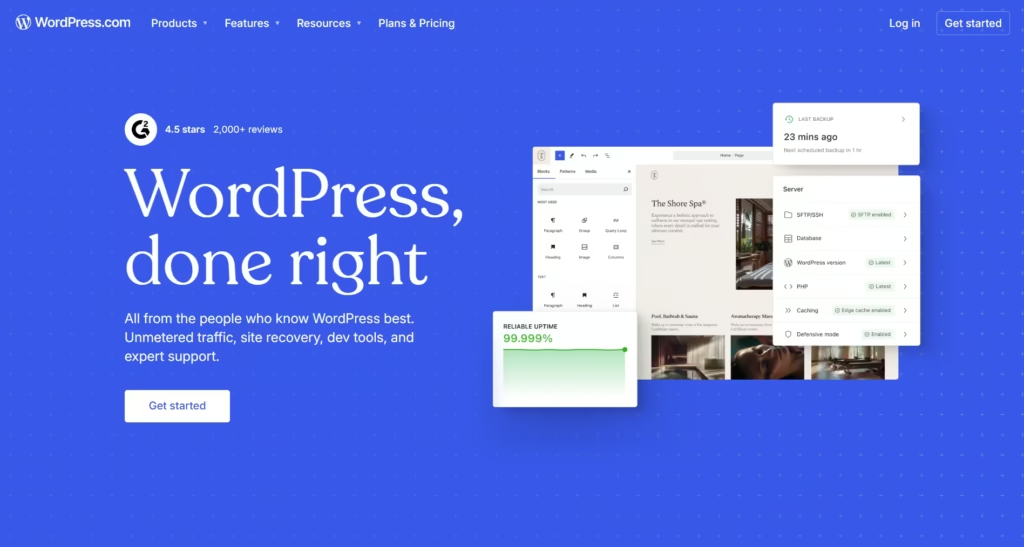
WordPress powers over 40% of all websites, but there’s a learning curve. I’m referring here to self-hosted WordPress.org, not the simpler WordPress.com.
With WordPress, you have complete control, but that means more responsibility. You’ll need to handle hosting, security updates, plugin management, and backups.
HIPAA Compliance Considerations:
WordPress can be made HIPAA compliant, but it requires significant effort. You’ll need:
- A hosting provider that offers BAAs (like Kinsta Health or Atlantic.Net)
- SSL certificates (for HTTPS)
- Security plugins configured correctly
- Regular updates to core WordPress, themes, and plugins
- Proper form plugins with encryption
This complexity is why many therapists either hire developers or choose simpler platforms.
Appointment Booking Integration:
WordPress offers numerous booking plugins, but few are HIPAA compliant out of the box. Amelia and Bookly are popular options, but you’ll need the premium versions and must configure security settings carefully.
Many WordPress users integrate SimplePractice or similar practice management software instead.
Pricing:
- Hosting: $15-50/month (varies by provider)
- Premium theme: $50-100 (one-time)
- Essential plugins: $0-200/year
- SSL certificate: Often included with hosting
Total estimated cost: $25-75/month depending on your choices.
Therapy-Specific Features:
WordPress’s strength is customization. With the right plugins, you can add:
- Membership areas for client resources
- Advanced blog functionality
- Custom contact forms
- SEO optimization tools
- Multi-language support
Mobile Responsiveness:
Depends entirely on your theme choice. Quality themes are fully responsive, but you’ll need to test and possibly adjust settings.
Best For: Tech-savvy therapists or those working with a developer who want maximum control and customization. Great if you plan to add extensive resources, multiple service lines, or a significant blog.
Framer: The Modern Newcomer
Ease of Use: ⭐⭐⭐

Framer has gained popularity recently for its modern design capabilities. It uses a canvas-based approach that feels intuitive once you understand the basics, though it’s more complex than Wix.
The platform is particularly strong at creating interactive, engaging websites with smooth animations and transitions.
HIPAA Compliance Considerations:
Framer does not offer HIPAA compliance or BAAs. Like other general website builders, use it only for public-facing marketing content, not for collecting or storing PHI.
Appointment Booking Integration:
Framer supports embedding third-party tools via code or iframe. You can integrate most scheduling systems, though it may require some technical knowledge or following detailed tutorials.
Pricing:
- Free: Basic sites with Framer branding
- Mini: $5/month per site
- Basic: $15/month per site (best for most therapists)
- Pro: $30/month per site
Therapy-Specific Features:
Framer doesn’t offer therapy-specific features but excels at creating modern, engaging designs that can help your practice stand out. Its animation capabilities can make your site feel more dynamic without being unprofessional.
Mobile Responsiveness:
Excellent mobile responsiveness with breakpoint controls for fine-tuning how your site appears on different devices.
Best For: Therapists who want a modern, distinctive website and have some design sensibility. Works well for younger therapists or those with practices focused on tech-savvy clients.
Webflow: The Designer’s Platform
Ease of Use: ⭐⭐
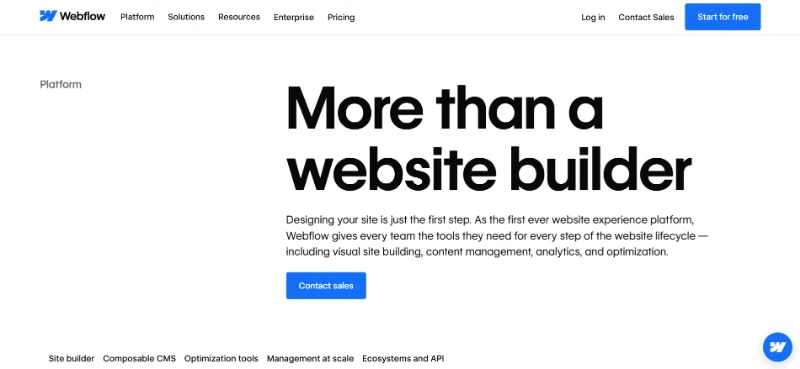
Webflow is powerful but has the steepest learning curve of all these platforms. It’s essentially a visual coding tool, giving you the power of custom code without writing it.
Unless you’re comfortable with web design concepts, expect to invest significant time in learning Webflow or hiring someone who knows it.
HIPAA Compliance Considerations:
Webflow does not provide HIPAA compliance or BAAs. Standard disclaimer: use for marketing only, not for collecting PHI.
Appointment Booking Integration:
Webflow supports embedding third-party tools through custom code or integrations. More flexible than other platforms but requires more technical knowledge.
Pricing:
- Basic: $14/month
- CMS: $23/month (if you want a blog)
- Business: $39/month
- Enterprise: Custom pricing
Plus, you might need Webflow hosting separately from the design tool.
Therapy-Specific Features:
No specific mental health features, but unlimited customization potential means you can create exactly what you envision.
Mobile Responsiveness:
Complete control over responsive design, but you’re responsible for getting it right. Offers the most precise mobile optimization of any platform if you know how to use it.
Best For: Therapists working with professional designers or those with significant web design experience. Overkill for most solo practitioners.
Platform Comparison Table
| Platform | Ease of Use | Starting Price | HIPAA Capable | Best For | Learning Curve |
|---|---|---|---|---|---|
| Wix | Easiest | $17/month | No (use external tools) | Beginners, quick setup | 1-2 hours |
| Squarespace | Very Easy | $16/month | No (use external tools) | Design-conscious therapists | 2-4 hours |
| WordPress | Moderate | $25+/month | Yes (with proper setup) | Customization needs | 10-20 hours |
| Framer | Moderate | $15/month | No (use external tools) | Modern, interactive sites | 4-8 hours |
| Webflow | Difficult | $14/month | No (use external tools) | Working with designers | 20+ hours |
Essential Features Every Therapist Website Needs
Regardless of which platform you choose, make sure your counseling website builder includes these critical elements:
Clear Service Descriptions
Potential clients should understand within seconds what you specialize in. Use plain language, not clinical jargon. Instead of “I provide CBT, DBT, and EMDR modalities,” try “I help people overcome anxiety using proven techniques that teach practical coping skills.”
Easy Contact Options
Include multiple ways to reach you: phone, email, and contact forms. Many people prefer forms for that initial outreach when they’re nervous about calling.
Professional Photos
A warm, approachable photo of you helps potential clients feel connected before meeting. Office photos show them what to expect and can reduce first-session anxiety.
Credentials and Approach
List your licenses, certifications, and therapeutic approach. This builds trust and helps clients understand if you’re the right fit.
Insurance and Payment Information
Clear pricing and insurance acceptance information saves everyone time. If you don’t take insurance, explain your superbill process.
SSL Certificate (HTTPS)
This is non-negotiable. Every modern website builder includes this, but verify your site shows the padlock icon in browsers.
When to Hire a Professional Designer
DIY website builders have made it possible for anyone to create a site, but “possible” doesn’t always mean “optimal.” Here are signs it’s time to consider professional therapist website design:
You’ve spent hours on your site and it still doesn’t feel right. Time is money, especially for therapists. If you’ve invested more than 10-15 hours and still aren’t happy with the results, that’s billable time you could have spent with clients.
Your current site isn’t converting visitors into clients. If you’re getting traffic but few inquiries, the problem might be design, messaging, or user experience issues that professionals can identify and fix.
You’re expanding your practice. Adding associates, offering new services, or opening a second location often requires website restructuring that’s easier with professional help.
You want to focus on therapy, not technology. You became a therapist to help people, not to troubleshoot plugins or optimize SEO. There’s no shame in delegating what’s not your expertise.
You need true HIPAA compliance. If you want client portals, secure messaging, or intake forms directly on your site, professional setup ensures everything is properly configured and compliant.
The Custom Design Advantage
Working with a professional designer who specializes in therapist websites offers distinct advantages:
Tailored to Your Unique Practice
Cookie-cutter templates make every therapy site look similar. A custom design reflects your specific approach, values, and the clients you serve. Whether you work with trauma survivors, couples, teens, or specialize in a particular modality, your website should communicate what makes your practice different.
Strategic, Not Just Pretty
Professional designers don’t just make things look good. They understand user psychology, conversion optimization, and how to guide visitors toward booking an appointment. Every element serves a purpose in building trust and encouraging action.
Proper Technical Foundation
Custom designs include proper SEO setup, fast loading speeds, accessibility features, and security measures that DIY sites often lack. These technical elements affect whether potential clients can find you and whether Google ranks your site.
Ongoing Support
When you work with a professional, you have someone to call when things break, when you need updates, or when you want to add features. No more googling error messages at 10 PM.
Time Savings
Most therapists spend 15-30 hours building a DIY site. With a professional, you spend maybe 3-5 hours providing content and feedback. That’s 25 hours you get back for client care or personal time.
If you’re ready to have a website that truly represents your practice and works as hard as you do, custom design is an investment that pays dividends in reduced stress, more clients, and a stronger professional presence.
Rather than struggling with platforms that weren’t built for mental health professionals, you get a site designed specifically for how therapists work and how clients search for help.
Common Mistakes to Avoid
Mistake 1: Collecting Too Much Information Upfront
Don’t ask for detailed personal history in your initial contact form. Keep it simple: name, email, phone, and brief reason for reaching out. Detailed intake comes later through secure channels.
Mistake 2: Hiding Your Rates
Many therapists avoid listing prices, but this often backfires. Potential clients appreciate transparency. If you have a sliding scale or accept insurance, say so. If you’re out-of-network, explain the superbill process.
Mistake 3: Using Stock Photos Instead of Real Photos
Generic stock images of people in therapy sessions feel inauthentic. Clients can tell. Use real photos of yourself and your office, even if they’re taken with a smartphone.
Mistake 4: Neglecting SEO Basics
Even the most beautiful site won’t help if no one can find it. Include location-based keywords (“anxiety therapist in Portland”), service-specific terms, and write helpful blog content that answers common questions.
Mistake 5: Making It Hard to Book
Every page should have a clear path to scheduling. Include “Contact Me” or “Book Now” buttons in your navigation and at the end of service pages.
Actionable Tips for Building Your Therapy Website
Start with Clear Goals
Before choosing a platform, write down what you want your website to accomplish. Do you need it to:
- Explain your services to potential clients?
- Handle appointment booking?
- Provide resources to current clients?
- Build your reputation through blogging?
Your answers determine which features matter most.
Write Like You Talk
Therapy is personal. Your website copy should sound like you, not like a medical textbook. Use first person (“I help clients…”), address visitors directly (“You might be feeling…”), and write in a warm, conversational tone.
Optimize for Local Search
Include your city, neighborhood, and nearby landmarks in your content. Create a Google Business Profile and ensure your name, address, and phone number (NAP) match exactly across your website and all directories.
Create Helpful Blog Content
Answer questions you hear from clients: “How do I know if I need therapy?” “What happens in a first session?” “Does therapy really work?” This builds trust and improves your search rankings.
Test Your Site on Multiple Devices
View your site on your phone, tablet, and computer. Ask friends to test it too. If anything looks broken or is hard to use, fix it before launching.
Set Up Analytics
Install Google Analytics (or your platform’s built-in analytics) from day one. Understanding which pages people visit, how they found you, and where they drop off helps you improve over time.
Real Examples of What Works
Let me share some approaches I’ve seen work well for different therapy practices:
Trauma Therapist in Seattle: She chose Squarespace for its calming aesthetic. Her homepage features a gentle nature photo and clear copy: “Healing is possible. I help adults process trauma and reclaim their lives.” Simple, direct, hopeful. She integrated SimplePractice for booking and keeps her site updated with a monthly blog post about trauma recovery.
Group Practice in Austin: They went with WordPress because they needed complex functionality: individual therapist bios, filtering by specialization, multiple service areas. They hired a developer initially, then learned to update content themselves. The investment was worth it as their practice grew to 12 therapists.
New Graduate in Rural Minnesota: He started with Wix to keep costs low while building his practice. His site is simple: one-page layout with sections for about, services, approach, and contact. It’s not fancy, but it’s professional and gets the job done. As his practice grew, he’s considering upgrading.
Couples Therapist in Miami: She uses Framer for its modern design capabilities. Her site feels sophisticated and current, which appeals to her target demographic of millennial couples. The interactive elements (subtle animations, smooth transitions) make the site engaging without being distracting.
Frequently Asked Questions
Do I legally need a website as a therapist?
No, you’re not legally required to have a website. However, in 2026, not having one significantly limits your visibility. Most potential clients search online for therapists, and without a website, you’re invisible to them.
Can I use my website for telehealth sessions?
Your website itself shouldn’t host video sessions. Use HIPAA-compliant telehealth platforms (SimplePractice, Doxy.me, Zoom for Healthcare) and link to them from your site. Your website can explain that you offer telehealth and provide instructions for connecting.
How important is blogging for a therapy website?
Blogging helps in two ways: it improves SEO (search engines favor sites with fresh, relevant content) and it demonstrates expertise. You don’t need to post daily. One thoughtful article per month can make a significant difference.
Should I include testimonials on my therapy website?
Testimonials can be powerful, but be extremely careful with privacy. Always get written permission, consider using only first names or initials, and never include specific details about someone’s mental health journey. Some therapists prefer to skip testimonials entirely to avoid any risk.
What’s the difference between HIPAA compliance and HIPAA-compliant hosting?
HIPAA-compliant hosting means your hosting provider will sign a BAA and has security measures in place. But compliance also requires how you configure your site, what forms you use, how you handle data, and your own privacy policies. Hosting is one piece of a larger puzzle.
Can I build my website myself if I’m not tech-savvy?
Absolutely. Platforms like Wix and Squarespace are designed for beginners. However, expect a learning curve of several hours. If technology frustrates you or you’d rather spend that time on your practice, hiring help is a reasonable choice.
How long does it take to build a therapy website?
DIY on Wix or Squarespace: 8-15 hours spread over 1-2 weeks. DIY on WordPress: 20-40 hours spread over 2-4 weeks. Professional custom design: 2-4 weeks from start to launch, with only 3-5 hours of your time for content and feedback.
Do I need separate pages for each service I offer?
For better SEO and clarity, yes. Individual pages for “anxiety therapy,” “depression counseling,” “couples therapy,” etc., help potential clients find exactly what they need and help search engines understand your specializations.
What should my therapy website URL be?
Ideally, use your practice name or your own name if you’re a solo practitioner: DrSmithTherapy.com or JaneSmithCounseling.com. Keep it simple, professional, and easy to spell. Avoid hyphens or numbers if possible.
How much should I budget for a therapy website?
DIY budget: $200-500/year (platform subscription, domain name, maybe a premium template). Professional custom design: $2,000-8,000 depending on complexity, plus hosting costs.
Think of it as a business investment. A well-designed site that brings in even 2-3 additional clients per year pays for itself many times over.
Making Your Decision
Choosing the best website builder for therapists depends on your specific situation:
Choose Wix if: You want the simplest possible setup, have a limited budget, and need a basic online presence quickly.
Choose Squarespace if: Design aesthetics matter to your practice brand and you want something that looks professionally designed out of the box.
Choose WordPress if: You’re comfortable with technology (or working with someone who is), need extensive customization, or plan to create a content-rich site with lots of resources.
Choose Framer if: You want a modern, distinctive look and are willing to invest time in learning a newer platform.
Choose Webflow if: You’re working with a professional designer who knows the platform and wants maximum creative control.
Choose custom professional design if: You want a website that’s strategically built for your practice, saves you time and frustration, and comes with ongoing support as your practice evolves.
Your Next Steps
Your website is one of the most important tools in your practice. It works while you sleep, introduces you to potential clients, and serves as the foundation of your online presence.
If you’re ready to move forward with a DIY approach, pick the platform that matches your needs and budget, then block out time to build it. Don’t aim for perfection. Launch with a solid, professional site and refine it as you go.
If the thought of building a website yourself feels overwhelming, or if you want something truly tailored to your practice without the DIY hassle, let’s talk. I specialize in creating custom websites for therapists that are not only beautiful but strategically designed to attract your ideal clients and support your practice growth.
A professionally designed therapist website isn’t an expense; it’s an investment in the foundation of your practice. While you focus on what you do best (helping clients heal and grow), you deserve a website that works just as hard to support your practice.
Ready to create a website that truly represents your practice? Reach out today to discuss how custom website design can transform your online presence and help more people find the support they need.
Your future clients are searching for help right now. Make sure they can find you.





